
Format and framing guide
Real estate video aspect ratios: 16:9 vs 9:16 vs 1:1
The right aspect ratio is not only a social-media choice. It changes what remains visible in the frame. For property video, the safest workflow is to plan the source photos once, then check architecture, furniture and text separately in landscape, vertical and square outputs.
What each format is designed to do
| Format | Shape | Useful property-video context | What to inspect |
|---|---|---|---|
| 16:9 | Landscape | Property pages, presentations and widescreen viewing | Horizontal room width, views and exterior context |
| 9:16 | Vertical | Full-screen mobile and short-form placements | Side-edge crop, wide interiors and text-safe areas |
| 1:1 | Square | Balanced feed, campaign and reusable social placements | Both side edges, central composition and overlay spacing |
16:9 Landscape
- Useful context
- Property pages, presentations and widescreen viewing
- Inspect
- Horizontal room width, views and exterior context
9:16 Vertical
- Useful context
- Full-screen mobile and short-form placements
- Inspect
- Side-edge crop, wide interiors and text-safe areas
1:1 Square
- Useful context
- Balanced feed, campaign and reusable social placements
- Inspect
- Both side edges, central composition and overlay spacing
16:9 preserves horizontal property context
Landscape framing is naturally suited to rooms, façades and views that spread across the image. It can preserve more of a kitchen run, a long living room or the relationship between a house and its garden. That does not mean every source image is automatically safe: an ultra-wide photograph can still contain peripheral features that become less readable after motion or reframing.
Use 16:9 as the easiest format for checking the overall property story. If a room already feels cramped or unclear in landscape, vertical output is unlikely to solve the underlying photo-selection problem.
9:16 demands stronger subject prioritisation
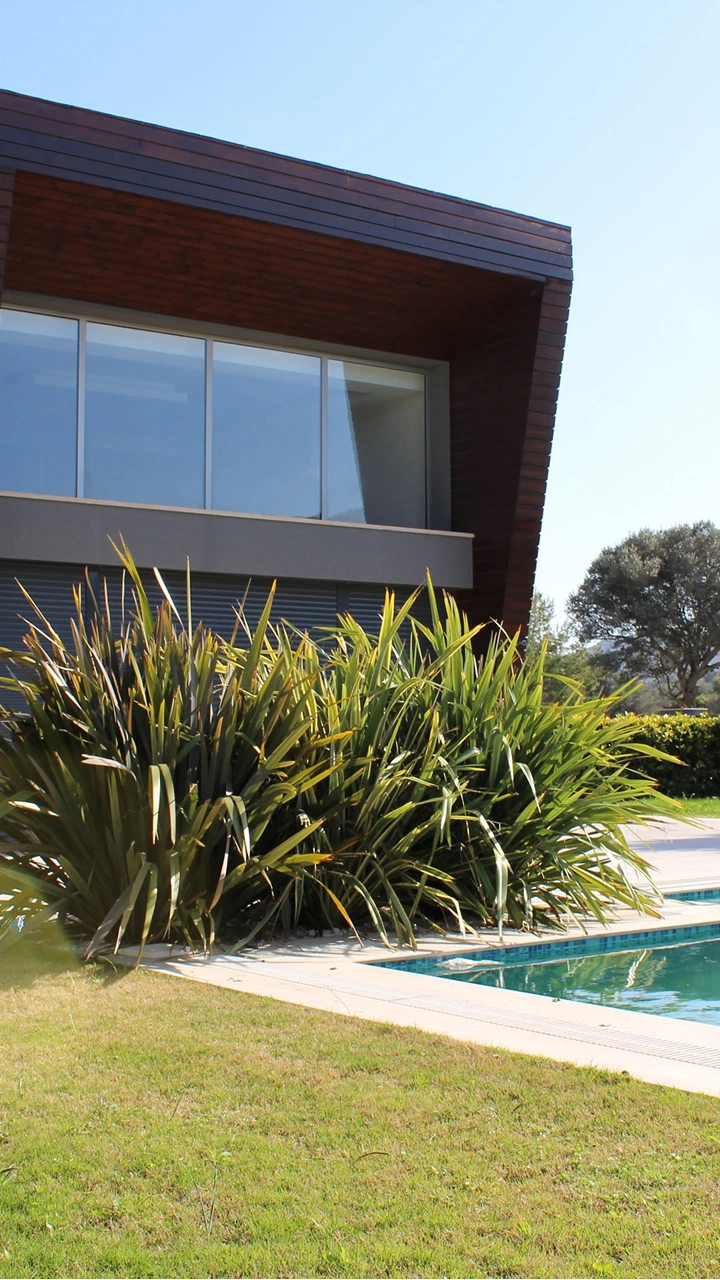
Vertical video places much more pressure on the centre of the photograph. Wide rooms, long countertops, panoramic views and side-positioned architectural details can lose context when the frame becomes tall and narrow. The correct response is not to ignore the crop; it is to decide which feature must remain visible and check that the vertical version preserves it.
When selecting source photos for a listing that will be used vertically, favour frames with a clear central subject and enough breathing room around important features. Then review the final 9:16 version independently instead of assuming the landscape approval automatically carries over.
1:1 is not simply a smaller landscape video
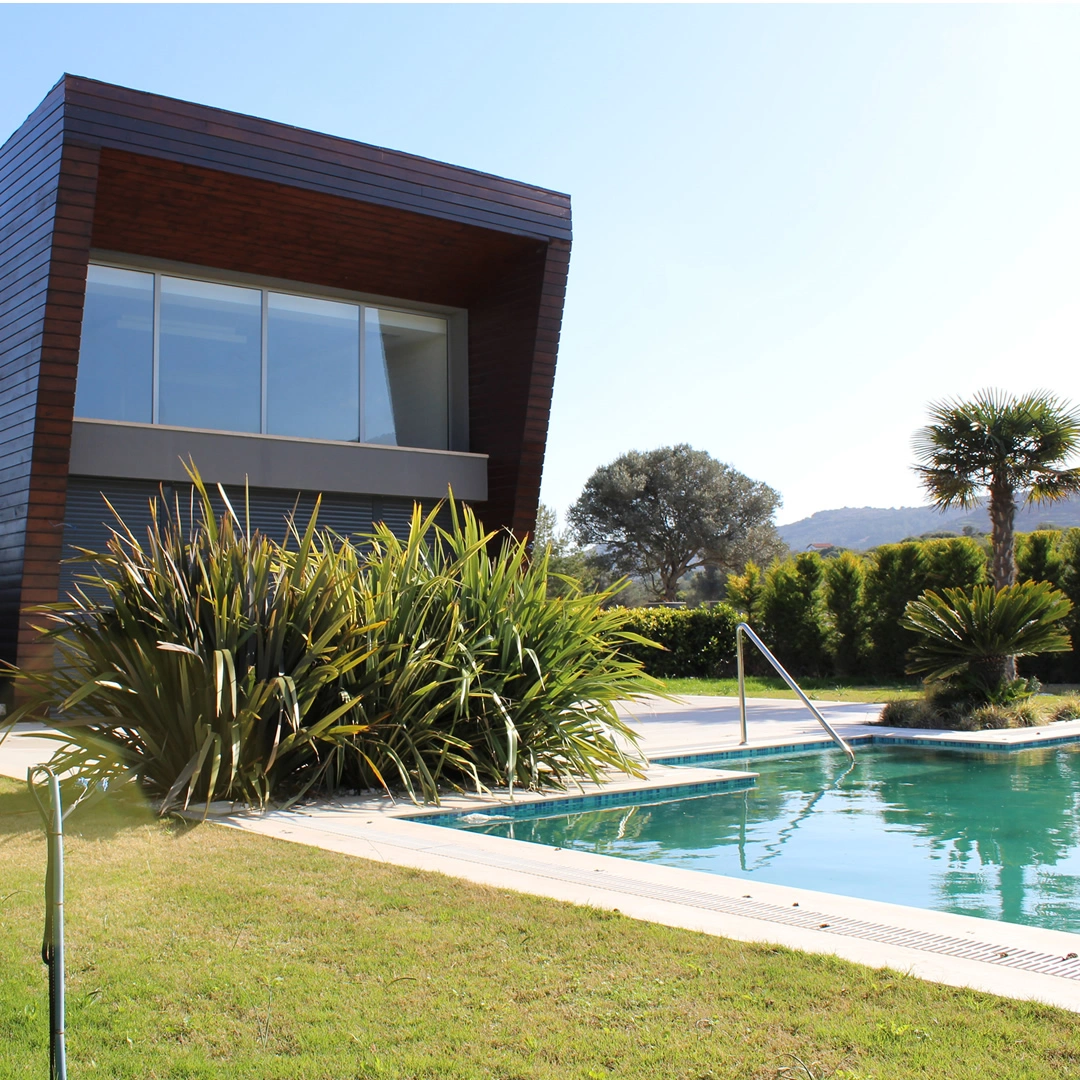
Square framing removes horizontal space from both sides while keeping more width than a vertical frame. It can work well for centrally composed rooms, façades and detail shots, but it exposes another issue: overlays that were comfortable in 16:9 can feel crowded when both width and height are constrained.
Inspect address, price, captions, branding and contact elements as part of the square composition. The property image and the overlay should not compete for the same central space.
Use one property story, but approve three compositions
AbodeVid’s current Premium workflow produces 16:9, 9:16 and 1:1 outputs from the same listing. That makes distribution easier, but it does not remove the need for format-specific review. Think of the three exports as three compositions of the same approved story rather than identical copies in different containers.
Crop-risk checklist
- Is the main architectural feature close to the left or right edge?
- Does the image rely on a panoramic view that needs horizontal context?
- Are doorways, windows or built-ins cut in a way that changes how the room is understood?
- Does a vertical crop make a room look materially different from the source?
- Do captions, price, address and branding remain inside comfortable safe areas?
- Does the square version keep both the property subject and overlays visually balanced?
Do not solve a bad source photo with a different aspect ratio
If a photograph is blurred, misleading, badly exposed or dominated by irrelevant empty space, changing the output shape will not turn it into a strong listing scene. Fix the source selection first. Use the listing-photo checklist for coverage and the video quality-control checklist for the final approval pass.