
Edit the version you are actually delivering
Landscape, vertical and square are separate working outputs. You can open each one and make presentation choices for that canvas instead of accepting a single resized export as the final answer.
PHOTO-TO-VIDEO WORKFLOW FOR PROPERTY LISTINGS
Choose a focused six-image cut, a broader fifteen-image cut, or the live Cinematic 30 option for listings that need up to thirty photos and up to sixty seconds. AbodeVid plans motion scene by scene and returns editable widescreen, portrait and square delivery versions.
Scene-specific AI motion · Three separately editable delivery versions
AFTER GENERATION
Generation is not the end of the workflow. Open the ratio you are preparing, adjust its presentation directly over the video, burn the result, and return later if that client-facing version needs to change.
Landscape, vertical and square are separate working outputs. You can open each one and make presentation choices for that canvas instead of accepting a single resized export as the final answer.
Move text, logos, images and profile elements where they belong in the frame. Resize them with a mouse on desktop or touch controls on mobile, and change the copy while you are preparing the overlay.
Intro and outro templates, branding elements and audio choices live inside the same focused edit workflow, so a property hand-off does not require rebuilding the presentation in another editor.
REUSABLE CUSTOMIZATION CYCLE
A burned presentation is not a one-way decision. Delete the customization when the price, call to action, branding or campaign message changes, then prepare and burn a new delivery version from the same generated property video.
AFTER THE VIDEO
The video does not have to become a dead-end asset. The listing record can continue into AbodeVid’s included Marketing Kit, so the next deliverables are prepared around the property campaign instead of rebuilt as unrelated projects.
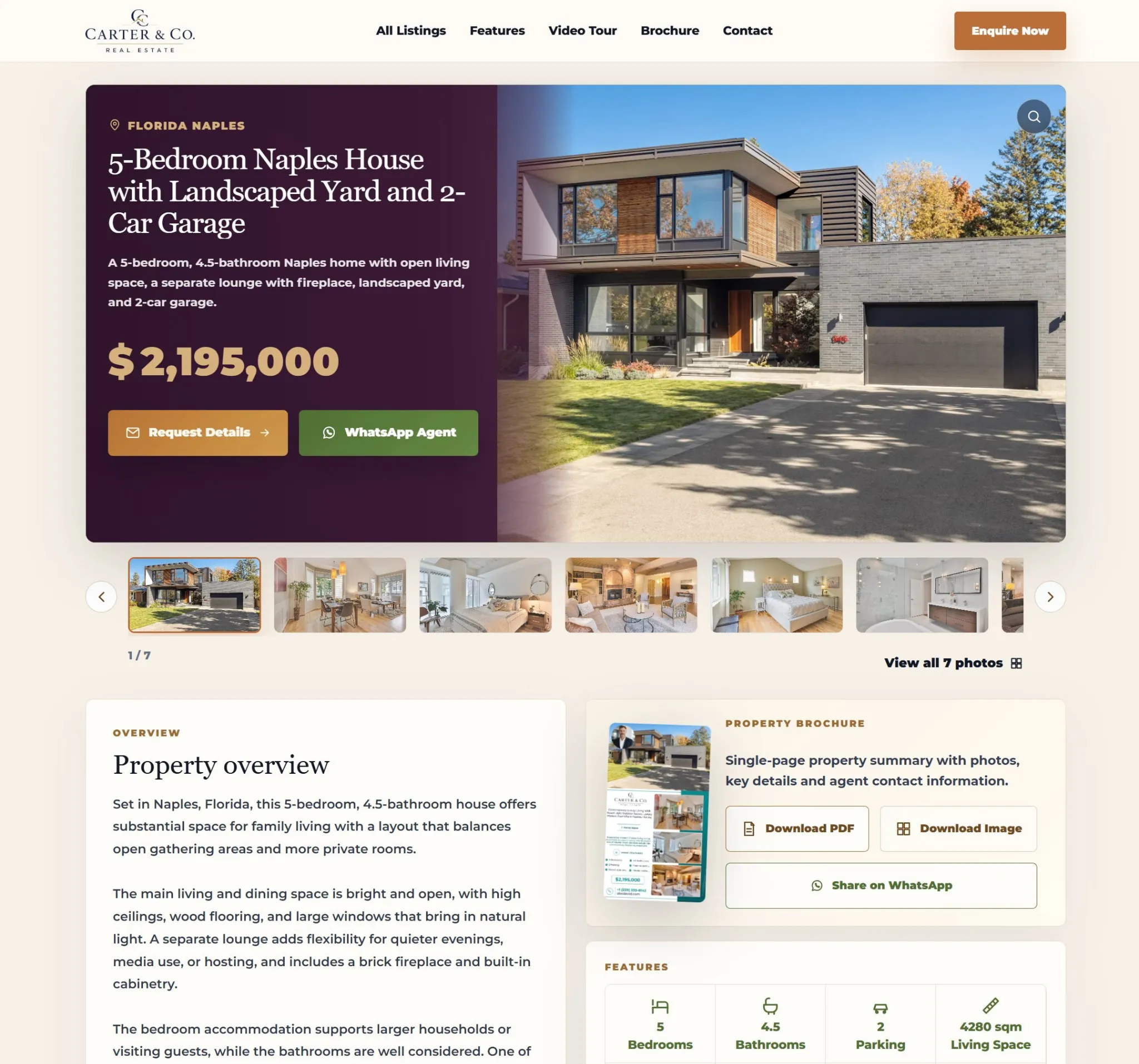
Publish a buyer-facing listing page with the video, gallery, property details and enquiry path.
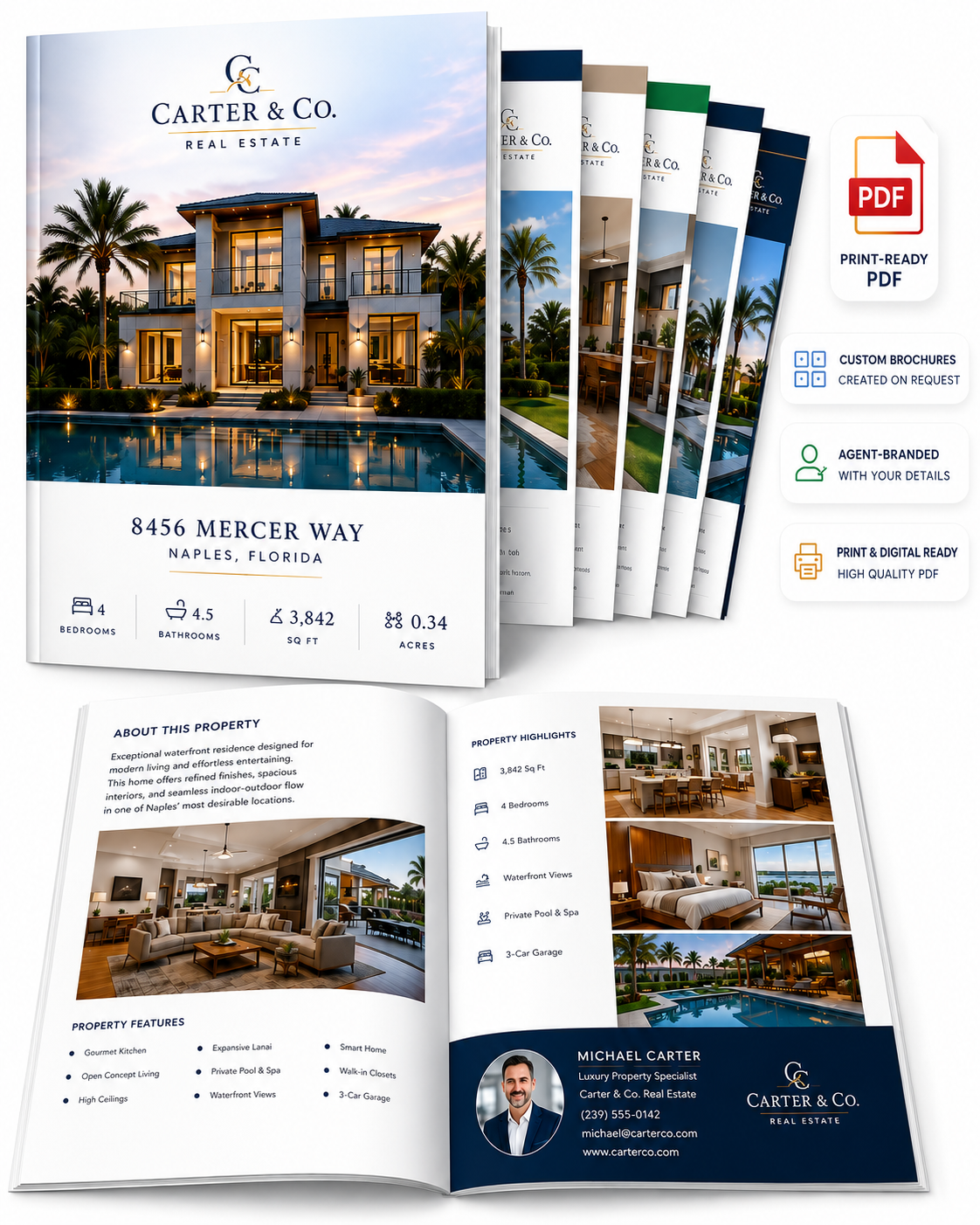
Turn the listing record into a branded brochure output without recreating the property from zero.

Prepare supporting social assets and reusable post copy around the property campaign.

Prepare buyer- and seller-facing email and WhatsApp copy tied to the listing.
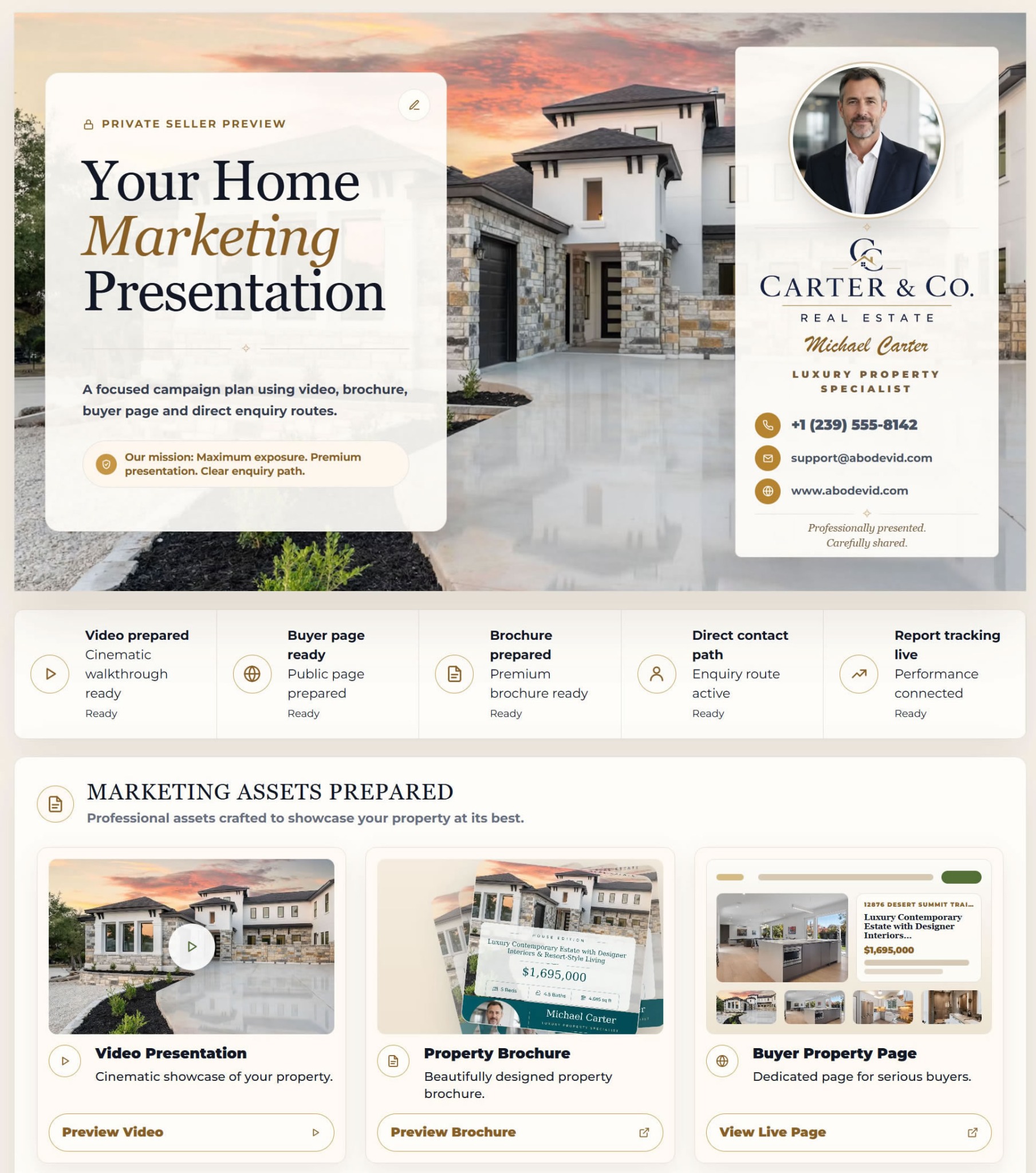
Create seller-facing presentation and reporting assets for campaign communication.

Collect enquiries from the public property page and keep follow-up inside the campaign workflow.
WORKFLOW COMPARISON
Canva, CapCut and Adobe Express are broad creative platforms with capable video and resizing tools. AbodeVid is narrower: it is organized around taking one real-estate listing from still photos to property-video delivery and then into listing-specific campaign assets.
5 property videos + 5 complete Marketing Kits each month. Or use the $9.99 one-property option when you do not need a subscription.
Competitor capabilities checked against official product pages on 15 Aug 2026: Canva real-estate video templates, Canva Video Resize, CapCut Online Video Editor, CapCut Auto Reframe, and Adobe Express Video Resize. This is a workflow comparison, not a claim that any platform lacks features not covered by those pages. Product capabilities and plan availability can change.
PRODUCT DETAILS
Details about automation, editing, aspect ratios and when a dedicated filmed production is still the better tool.
Browse all AbodeVid FAQsYou select either six or fifteen property photographs. AbodeVid evaluates them one scene at a time, assigns a suitable movement approach, and produces three working canvases for widescreen, portrait and square delivery.
Yes. Each 16:9, 9:16 and 1:1 version can be edited individually. Text, logos, images and profile elements can be moved or resized, copy can be changed in place, and intro/outro or audio choices can be adjusted before the presentation is burned. A burned customization can later be removed and rebuilt.
No. The workflow does not apply one repeated transition to every photograph. Each source image receives its own motion decision, and the assembled result should still be reviewed against the original property photography before publication.
Each canvas serves a different placement and remains independently editable. Widescreen, portrait and square versions can therefore use their own overlay positioning without asking the motion engine to generate the property again.
The listing can continue into the included Marketing Kit, which can produce a property website, brochure, social assets, seller materials, lead capture and reusable email or message copy around the same campaign.
Use dedicated filming when the job requires a continuous walkthrough, drone footage, agent-led scenes or exact on-site motion. AbodeVid is designed for the different case where strong still photography already exists and you need a property-video workflow around it.
AbodeVid first provides a correction or replacement for the affected video at no additional cost. If a technically usable result cannot be provided, the affected purchase is refunded under the Refund Policy.