
Watch the real selection-and-apply session
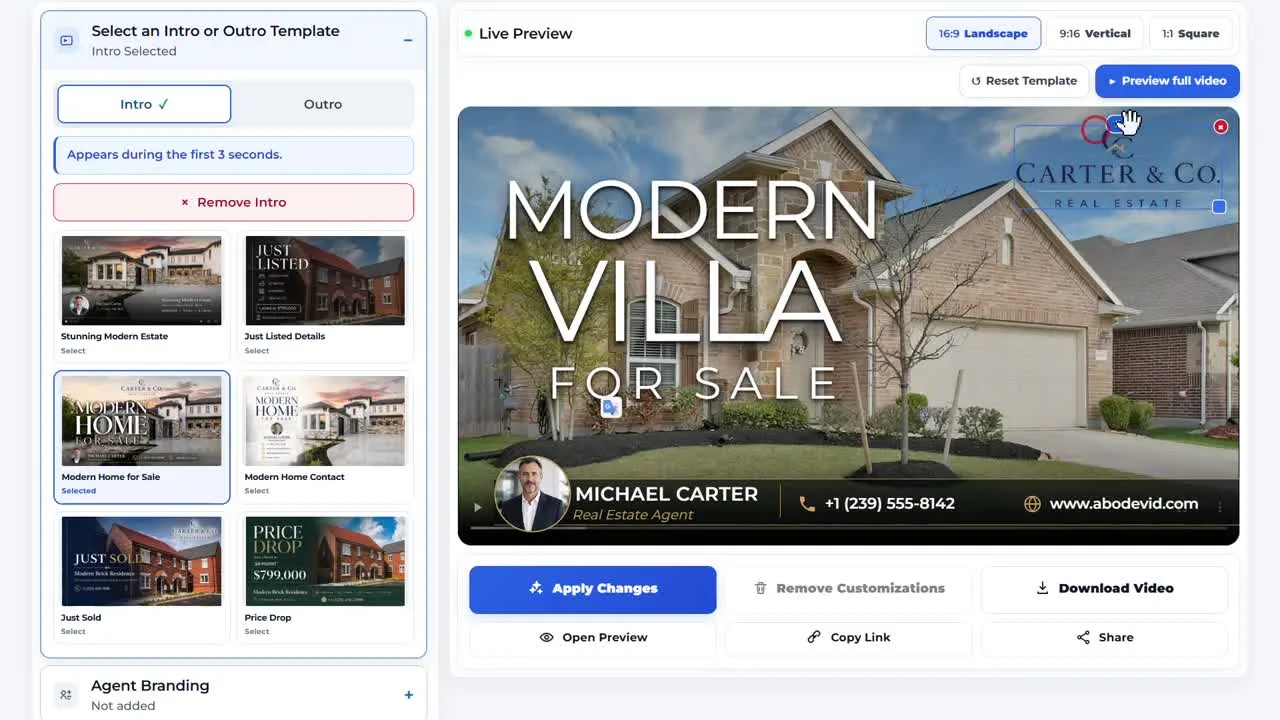
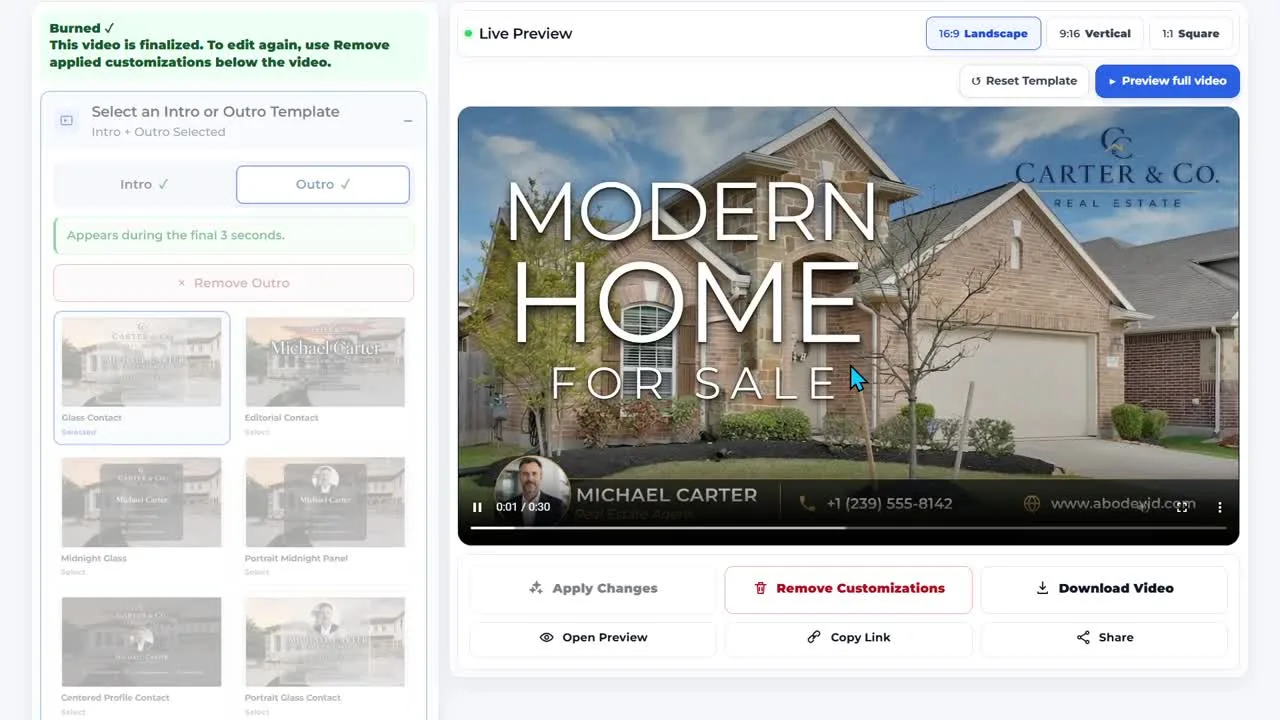
Two different states are visible before the render completes
What the recording proves—and what it does not
The evidence supports a narrow claim: intro and outro choices live inside the same post-generation editor and can be selected, previewed and applied without moving to a separate production tool. The recording also shows the render-complete state after Apply Changes.
It should not be stretched into a claim about template performance, buyer engagement or conversion. Nor does one recording prove that every template will suit every listing. Template choice remains a presentation decision.
Why the file is optimized: the supplied screen recording was larger than the marketing host's practical file limit. This evidence copy is a browser-friendly 1280px version of the same session; the workflow itself has not been recreated or simulated.