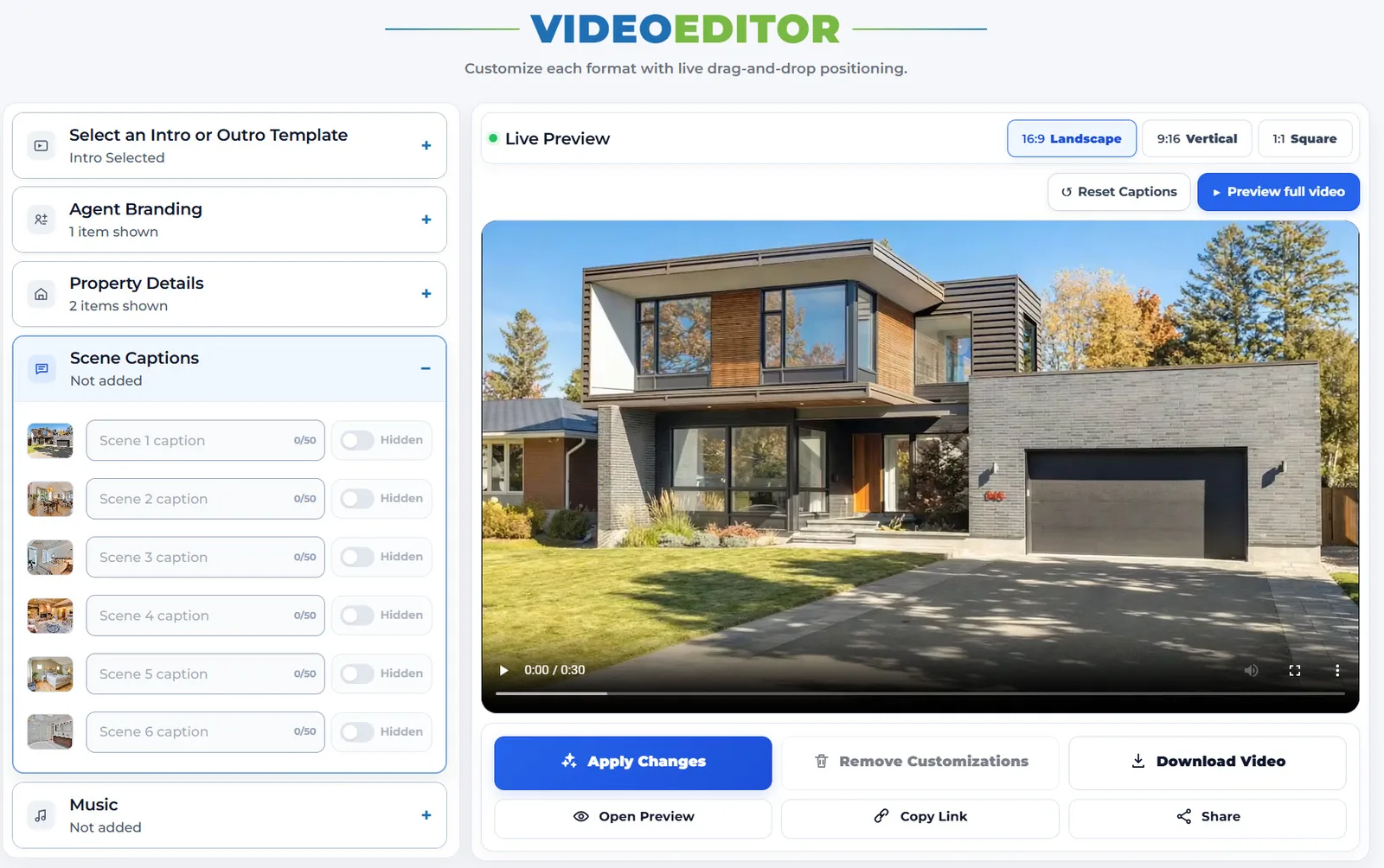
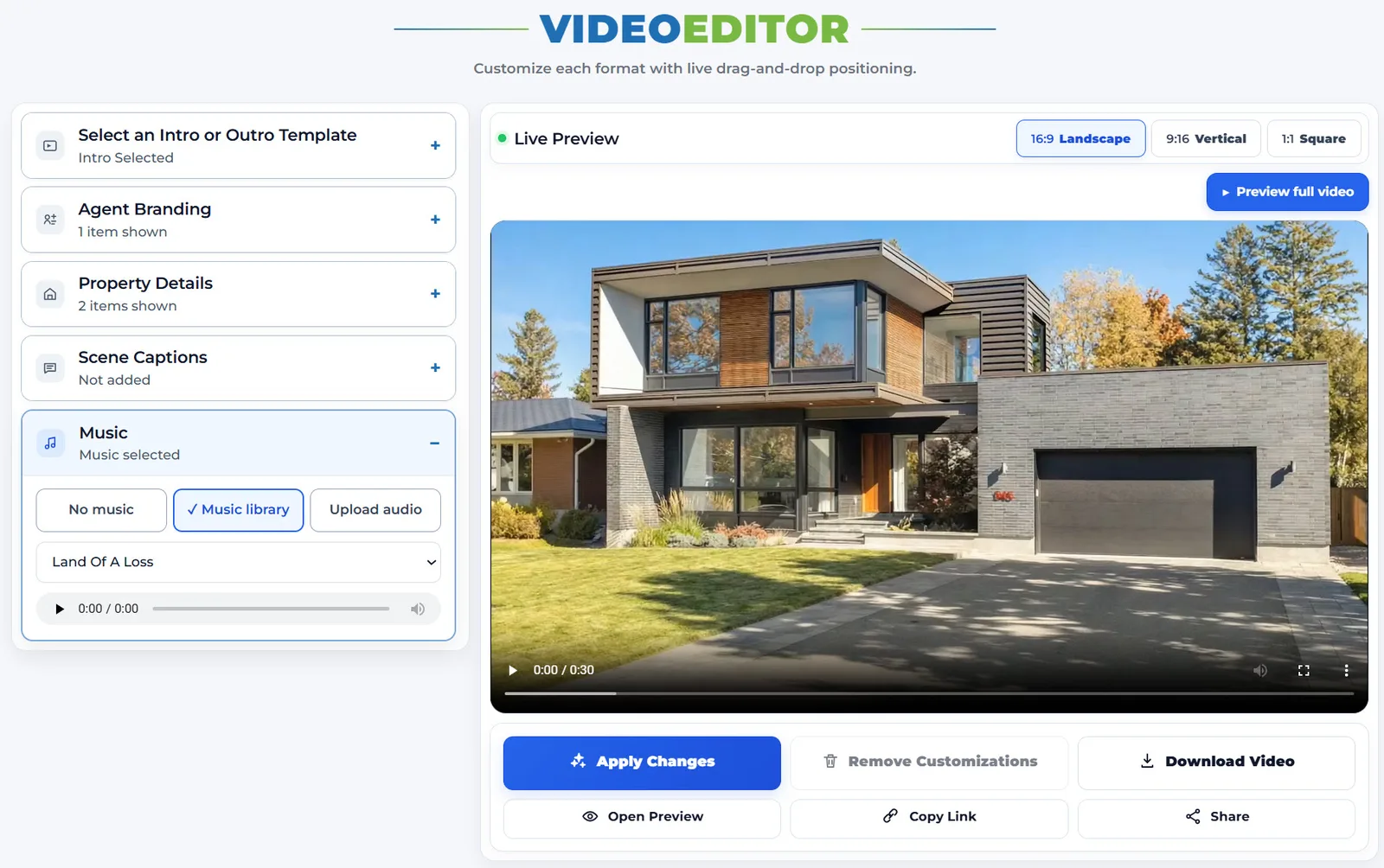
Clean generated video vs client-facing delivery version
No agent presentation layer is burned over the property sequence.
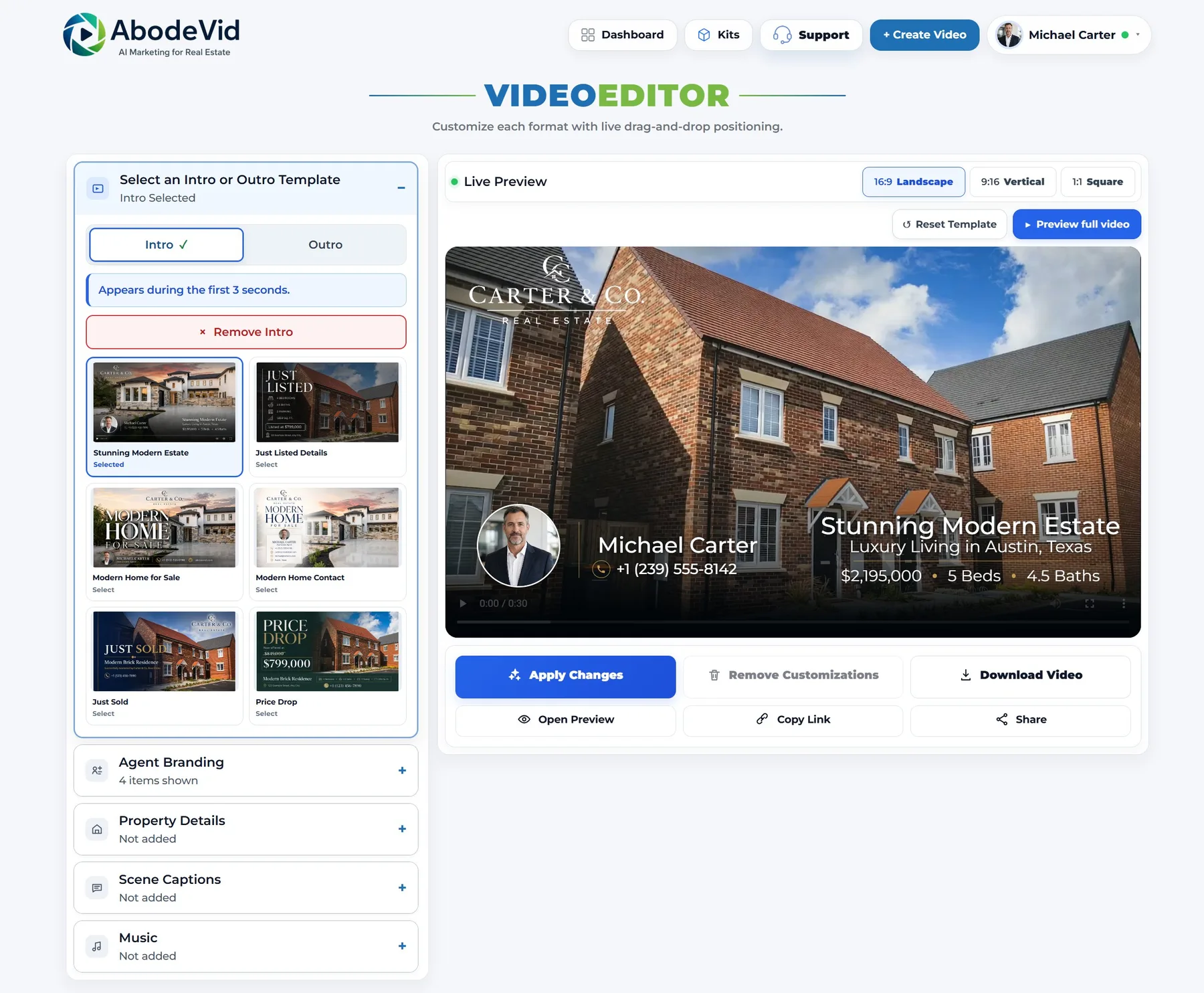
The same underlying property sequence carries client-facing branding, property information and presentation treatment.
Editing happens directly over the video
The desktop editor screenshot shows the property video itself as the working surface, with separate 16:9, 9:16 and 1:1 tabs and editing panels for agent branding, property details, scene captions, music and intro/outro treatment.
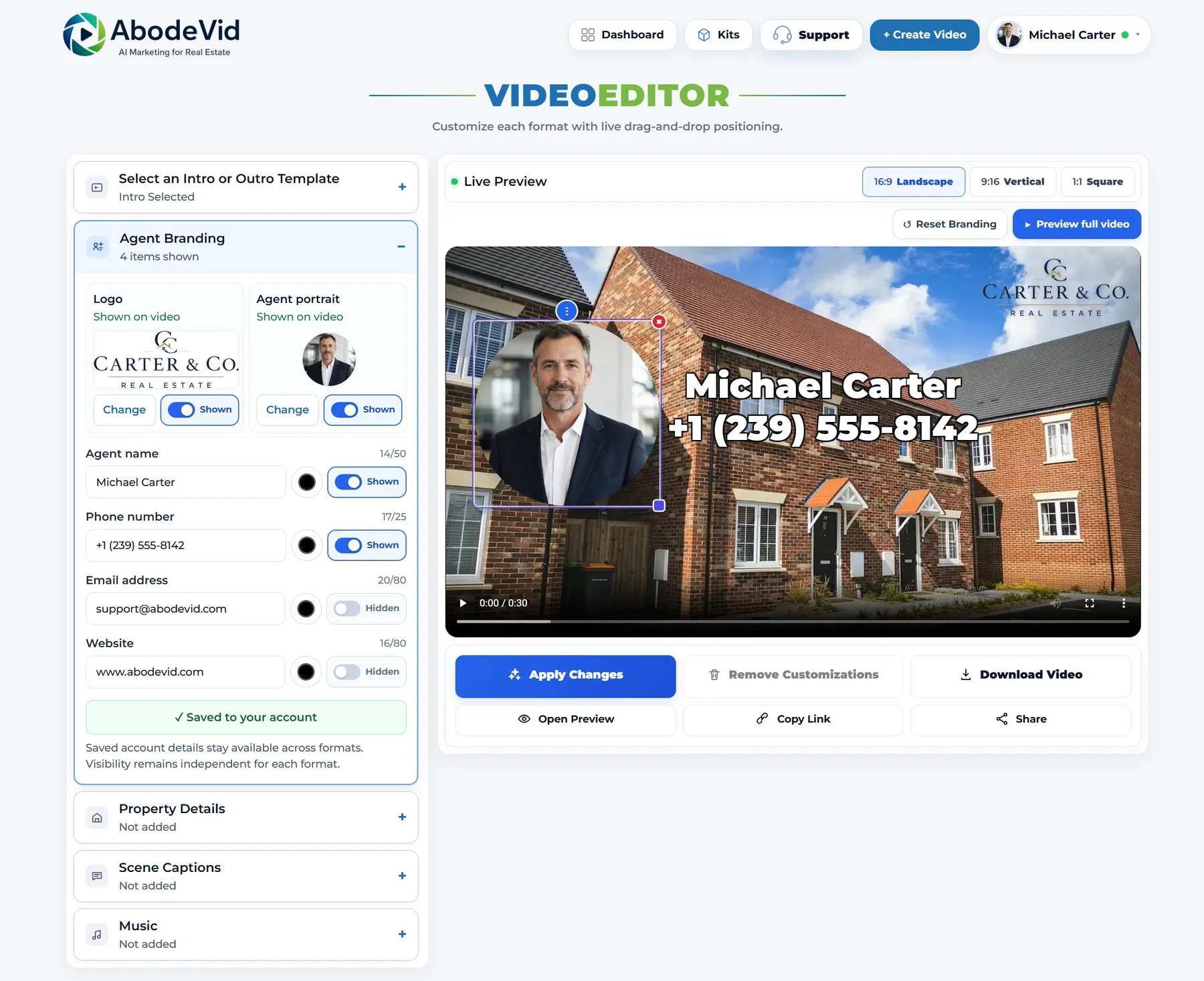
Overlay elements can be repositioned and resized
The selected overlay in the next screenshot is shown with editing handles after its size and placement have been changed. This is stronger evidence than a feature checklist because the editable element is visible in context over the actual video frame.
The working canvas is not limited to landscape
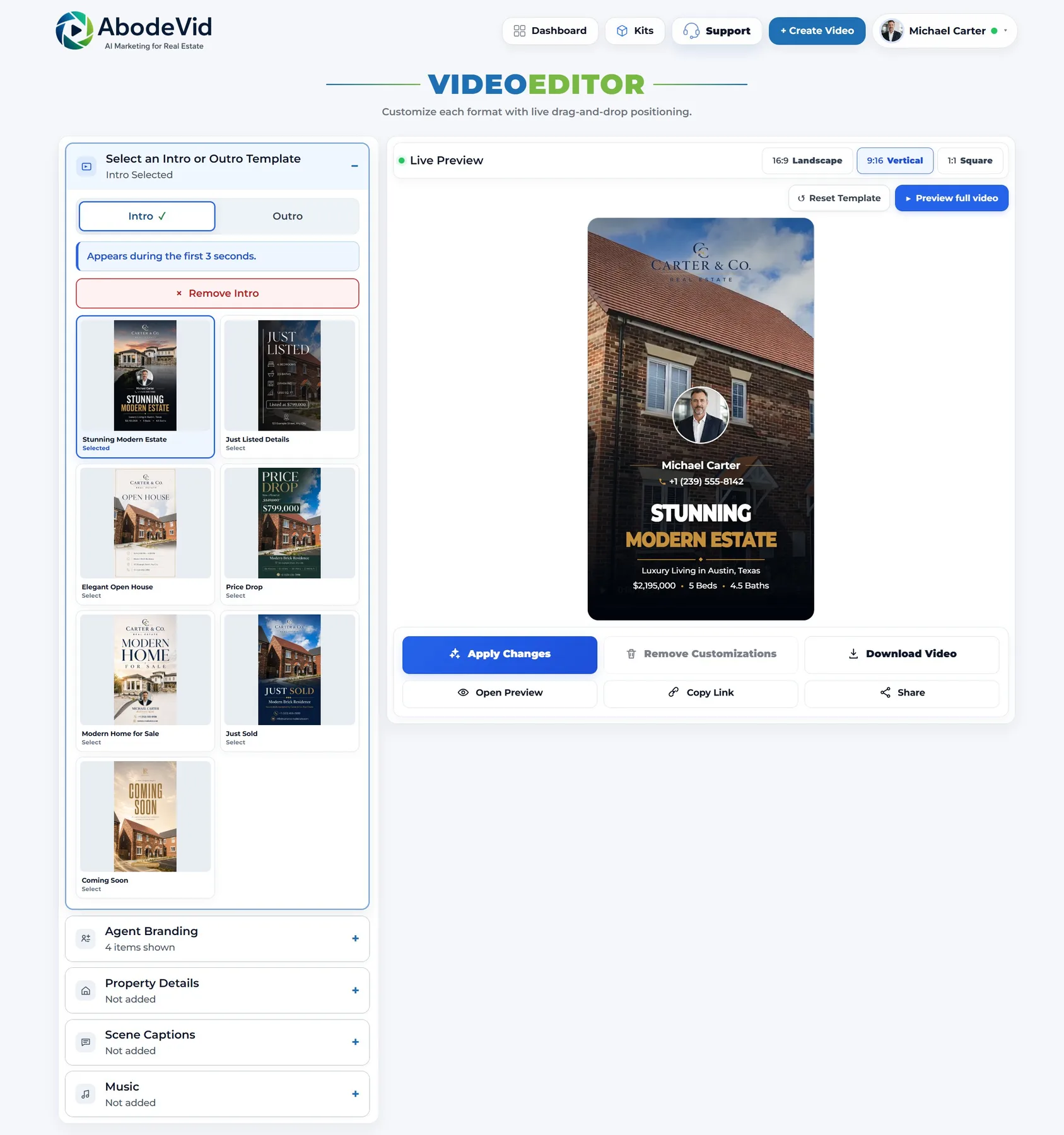
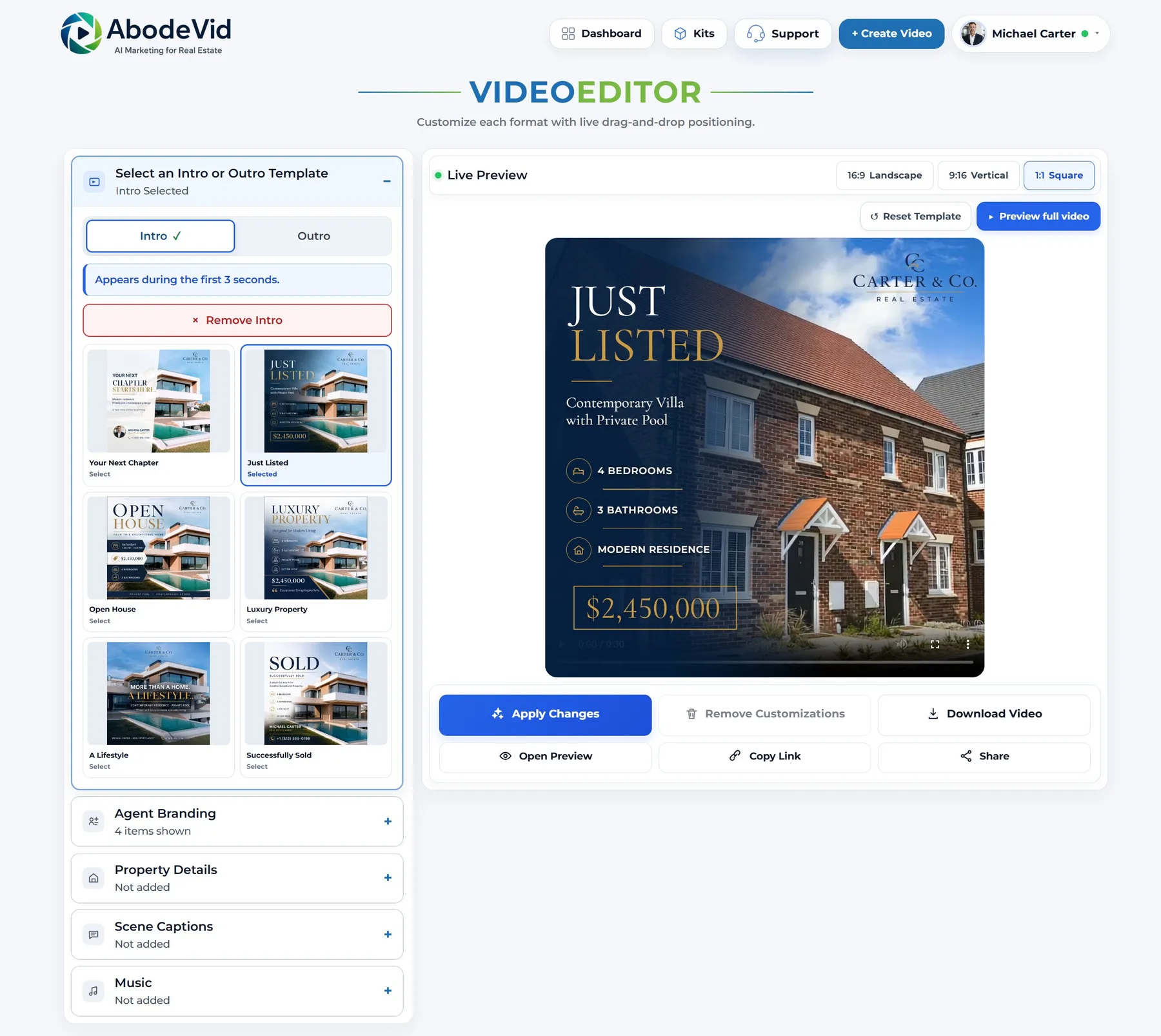
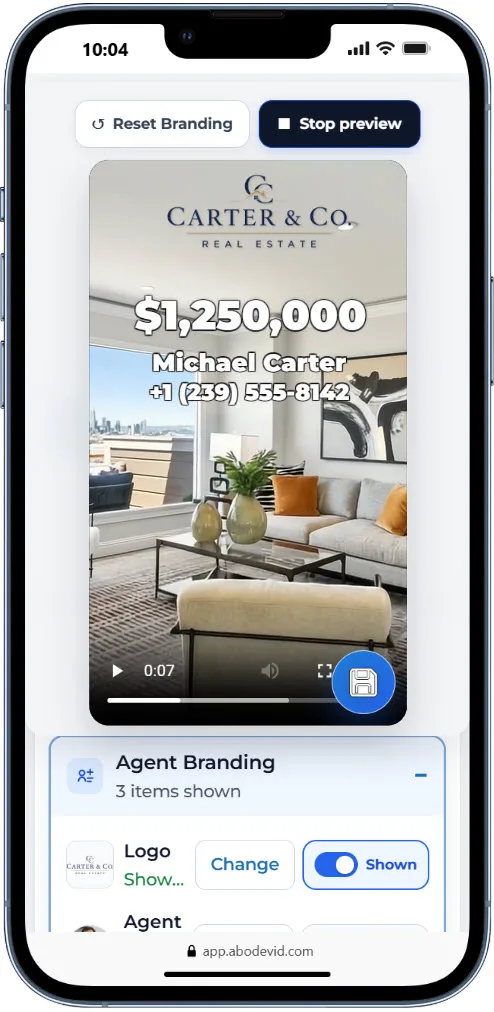
The mobile editor is demonstrated as an actual interaction
The static phone screenshot confirms that the portrait editor loads on a mobile device. The recording below adds the missing behavioural evidence: it follows a real 9:16 editing session through direct manipulation on the video canvas, template changes and property-detail editing while the interface remains in portrait orientation.
The web copy is encoded from the original high-resolution phone recording for browser delivery. It is evidence of the mobile editing interaction, not a claim that every phone model renders the interface identically.
The customization layer can be removed and rebuilt
The next recording addresses the part that a clean-vs-customized pair cannot prove on its own. It follows one generated property video through a visible customized state, the Remove Customizations action, a return to the underlying video and a different subsequent editing state. That makes the reversibility of the presentation layer inspectable rather than merely described.
Captions and music live in the same editor