
Photo selection guide
6 vs 15 vs 30 photos:
which real estate video
should you make?
Six photos create a slower, selective showcase. Fifteen fit more room-to-room coverage into the same compact runtime. Cinematic 30 is a different production rhythm: a longer AI-directed sequence with variable scene timing, scene-specific motion and transitions designed to feel closer to a filmed property tour than a fixed slideshow.
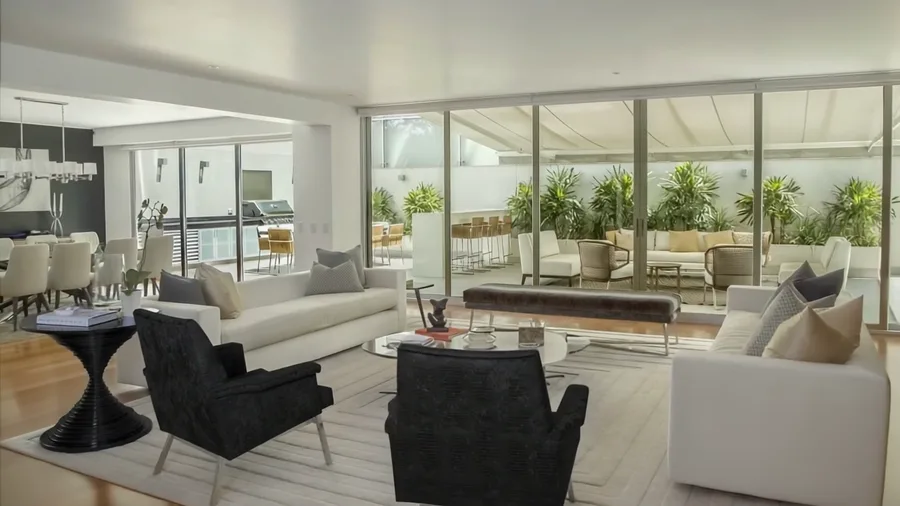
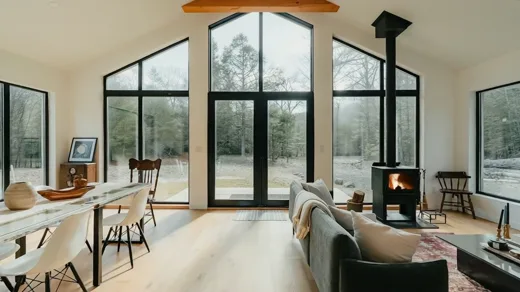
The core difference
Coverage changes first. With Cinematic 30, the editing rhythm changes too.
The 6-photo and 15-photo Premium workflows solve the same 30-second problem with different amounts of visual information. Six images can linger for about five seconds each; fifteen move at roughly two seconds each. Cinematic 30 expands the ceiling to up to thirty photos and up to sixty seconds, but it is not simply “fifteen photos doubled.” The longer workflow uses variable scene timing and a more directed motion-and-transition pattern so the sequence can breathe, accelerate and change emphasis from shot to shot.
Selective showcase
Up to 6 photos · ~5 sec each · up to 30 secBest when a small set of decisive views can explain the property without losing useful context.
Broader property coverage
Up to 15 photos · ~2 sec each · about 30 secBest when buyers need more rooms, amenities or selling points while the final video still stays compact.
Longer cinematic property story
Up to 30 photos · variable pacing · up to 60 secBest when the listing needs a longer visual arc and a more film-like sequence rather than equal time on every frame.
| Question | 6-photo workflow | 15-photo workflow | Cinematic 30 |
|---|---|---|---|
| Photo ceiling | Up to 6 | Up to 15 | Up to 30 |
| Runtime | Up to 30 sec | About 30 sec | Up to 60 sec |
| Scene rhythm | About 5 sec per image | About 2 sec per image | Variable; reference render centers around roughly 1.5–2 sec beats rather than one fixed duration |
| Best fit | Compact or visually simple listings | Listings needing broader room-to-room coverage | Larger or visually rich sets that benefit from a longer cinematic arc |
| Editing character | Longer read time per scene | Faster information density | AI-directed pacing, scene-specific motion and more varied transitions |
| Main failure mode | Leaving out useful context | Using repetitive or low-value images | Filling the longer sequence with weak frames instead of distinct visual information |
6-photo workflow
- Photo ceiling
- Up to 6
- Runtime
- Up to 30 sec
- Scene rhythm
- About 5 sec per image
- Best fit
- Compact or visually simple listings
- Editing character
- Longer read time per scene
- Main failure mode
- Leaving out useful context
15-photo workflow
- Photo ceiling
- Up to 15
- Runtime
- About 30 sec
- Scene rhythm
- About 2 sec per image
- Best fit
- Listings needing broader room-to-room coverage
- Editing character
- Faster information density
- Main failure mode
- Using repetitive or low-value images
Cinematic 30
- Photo ceiling
- Up to 30
- Runtime
- Up to 60 sec
- Scene rhythm
- Variable; the reference centers around roughly 1.5–2 sec beats instead of one fixed duration
- Best fit
- Larger or visually rich sets that benefit from a longer cinematic arc
- Editing character
- AI-directed pacing, scene-specific motion and more varied transitions
- Main failure mode
- Filling the longer sequence with weak frames instead of distinct visual information
First-party production reference
What the 30-photo reference actually does
The reference video supplied for this page contains thirty visual scenes in a 1920×1080, 30 fps render. Its final duration is approximately 48.7 seconds—well below the 60-second ceiling because the sequence is not padded to fill a fixed runtime.
Scene-change analysis shows a median interval of about 1.77 seconds. Nineteen of the thirty detected scene intervals sit around 1.7–2.0 seconds, while several shorter beats create changes in tempo. That variability is the clearest measurable difference from the fixed ~5-second and ~2-second compact workflows.
Web preview of the supplied Cinematic 30 reference. The source was compressed for browser delivery; timing and scene order are unchanged.
Do not decide by property price alone
Property complexity matters more than price. A minimalist luxury apartment may be explained with six exceptional frames, while a modest family home with multiple bedrooms, outdoor spaces and amenities may need fifteen or thirty distinct views.
Build the sequence before you upload
Put the images into viewing order first. Ask whether every next frame moves the viewer somewhere new. AbodeVid preserves the user’s chosen photo order, so a coherent source sequence still matters. The compact workflows keep their approximate 5-second and 2-second scene durations; Cinematic 30 adds the AI-directed variable pacing and transition treatment described above.
Decision checklist
Pick the smallest workflow that can tell the property story without compression
- Choose 6 if six photographs can show every major space or selling point a buyer needs to understand.
- Choose 15 if additional rooms and features add genuinely different information while a compact 30-second video is still the right target.
- Choose Cinematic 30 if fifteen distinct frames still leave useful parts of the listing out or the property benefits from a longer, more cinematic visual rhythm.
- Remove weak or repetitive images even when unused slots remain.
- Sequence the images deliberately; more capacity cannot repair a confusing room-to-room order.